The Coming Divide in Defense: Federation or Fallout Under DoDI 5000.97
Share: The defense industry is entering a pivotal phase of transformation. With the release of DoDI 5000.97, the U.S. Department of Defense (DoD) has made

No-code integration platform for rich bi-directional sync

Zero downtime migration to tool of your choice

Keep Historical Data, Without Slowing Down Your Tools

Migrate or restructure Azure DevOps

Real-time, context-rich data lake for AI or analytics
By Role
Accelerate delivery with clear insights

Accelerate delivery with clear insights

Transform smarter with a connected digital thread

Confident transitions for every enterprise change
By Initiative

Operational readiness through connected engineering

Modernize and move to cloud without disruption

Build a compliant digital thread for complex environments

Build the foundation for smarter AI
By Domain

No-code integration across teams and systems

Enable collaboration between IT, support, and business teams

Connect PLM & engineering teams for smarter products

Ensure regulatory compliance from start to release

Explore the latest in technology best practices

Success stories from the field

Actionable insights for your business challenges.

See solutions in action

Learn, plan, and execute with confidence

Official announcements and updates

Join discussions that drive results

Stay ahead with curated insights
Share: The defense industry is entering a pivotal phase of transformation. With the release of DoDI 5000.97, the U.S. Department of Defense (DoD) has made
Microsoft Azure DevOps has become synonymous with modern SDLC management and agile product delivery. Leading organizations across the globe use the platform to build and deliver products at a faster pace and foster collaboration.
However, teams may find themselves compelled to move within the Azure DevOps landscape. Often for reasons like cloud adoption (TFS-VSTS migration), consolidating multiple instances, or re-organizing project hierarchies.
No matter the business use case, the success of your Azure DevOps re-organization or migration largely depends on the migration tool you partner with.
This article dissects the critical factors that underpin the selection of a migration tool capable of delivering a non-disruptive, high data-fidelity transition. Read ahead to learn more.
Its critical to be sure of these core aspects in order to get clarity on the choice of migration tool for your business:
The number of teams involved in the migration (teams using the systems and dependent on the data + teams leading the migration) and their technical expertise will impact the tool’s complexity and user-friendliness requirements.
Evaluate the acceptable level of downtime during the migration process. Some tools offer features like staged migration or zero-downtime options. Also look for tools which offer reverse-sync capabilities, ensuring you have access to data in both systems till the migration is complete.
The size and structure of your data will determine the tool’s processing capabilities and performance. Opt for an enterprise-grade migration tool to ensure a scalable transition for your teams.
Azure DevOps Server (TFS) to Azure DevOps Services
This is a classic migration scenario where organizations move from an on-premises Team Foundation Server environment to the cloud-based Azure DevOps Services for better scalability and integration options.
Consolidation of Multiple Instances
Many organizations have multiple Azure DevOps instances due to acquisitions, mergers, or decentralized development teams. Merging these instances improves management and cost efficiency.
Reorganization of Project Hierarchy
Over time, project structures can become complex and inefficient. Reorganizing the project hierarchy is done to re-align with business units, teams, or product lines.
Selective Project Migration
Organizations might need to move specific projects or teams from one Azure DevOps organization to another without disrupting ongoing work. This could be due to restructuring, team reorganization, or compliance reasons.
Upgrade to Latest Azure DevOps Server (TFS) Version
Keeping Azure DevOps Server (TFS) up to date is essential for accessing new features and security patches. Upgrading to the latest version might involve data migration and configuration changes.
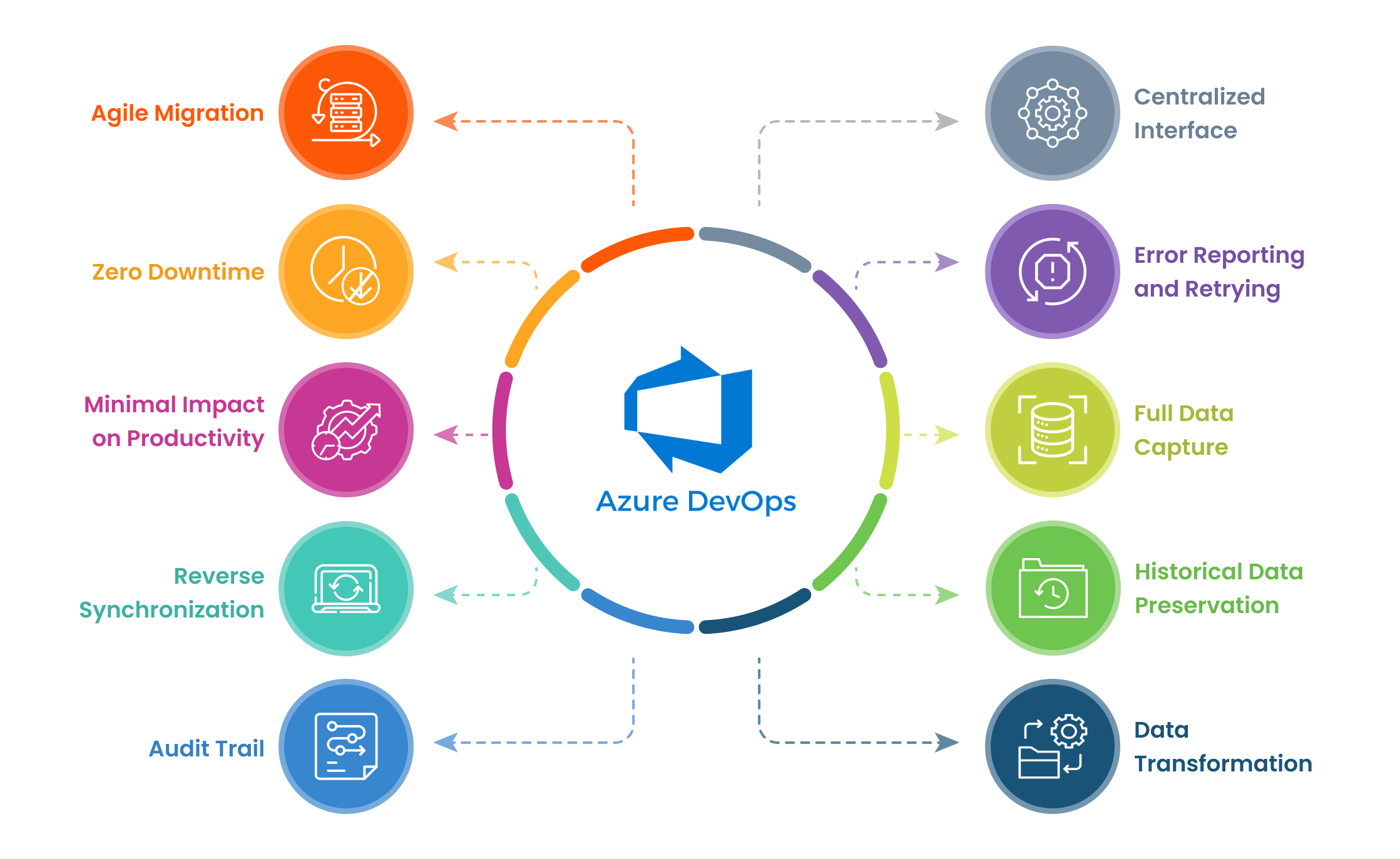
To successfully migrate large-scale enterprise environments with numerous teams and complex projects, an enterprise-grade migration tool is indispensable.
It should offer the following essential features:
Agile Migration
The ability to migrate data in batches or phases minimizes disruptions to ongoing business processes.
Zero Downtime
Ideal for mission-critical systems, this feature ensures uninterrupted operations during the migration.
Minimal Impact on Productivity
The tool should be designed to avoid hindering team productivity throughout the migration process.
Reverse Synchronization
The capacity to synchronize data between the source and target systems ensures data consistency and enables access to information from both environments until the migration is complete.
Audit Trail
A comprehensive record of data changes and migration activities is crucial for compliance and troubleshooting purposes.
Centralized Interface
A unified platform for monitoring migration progress, managing configurations, and resolving issues streamlines the process.
Error Reporting and Retrying
The tool should consolidate all errors at a single place with an easy-to-grasp layout, and enable users to retry the migration with ease.
Full Data Capture
The tool must migrate all relevant data, including work items, code, builds, releases, attachments, and comments.
Historical Data Preservation
Maintaining complete data history is essential for analysis, auditing, and troubleshooting.
Data Transformation
The ability to transform data during migration is crucial for addressing inconsistencies or schema differences between source and target systems.
Microsoft’s Azure DevOps Data Migration Tool provides a baseline for migrating data from Azure DevOps Server to Azure DevOps Services.
While it offers a streamlined approach for transferring core artifacts like work items, source code, and test cases, it can only “lift and shift” one Azure DevOps Server collection to one new Azure DevOps Services organization, with no modifications.
Best Practices: To maximize the effectiveness of this tool, thorough planning, data preparation, and testing are essential. Consider using it when moving from TFS (latest version) to ADO services. ADO Org needs to be empty and whole migration needs to be completed in one-go, ideally over a weekend.
Learn how CSI Leasing transformed their Azure DevOps landscape non-disruptively, with OM4ADO.
While seemingly cost-effective, manual migration through lift-and-shift or CSV import methods is often fraught with challenges.
In conclusion, carefully evaluating your organization’s specific needs and the capabilities of different migration tools is crucial for a successful Azure DevOps migration. While the Azure DevOps Data Migration Tool provides a basic foundation, tools like OM4ADO offer advanced features and capabilities to streamline the process and minimize risks.

Experience scalable, non-disruptive migration with OM4ADO
Muskaan works as a Content and SEO Strategist at OpsHub. Her interests include devising content marketing strategies for SaaS enterprises, brand strategy and the convergence of product-first thinking with emerging tech and communication.