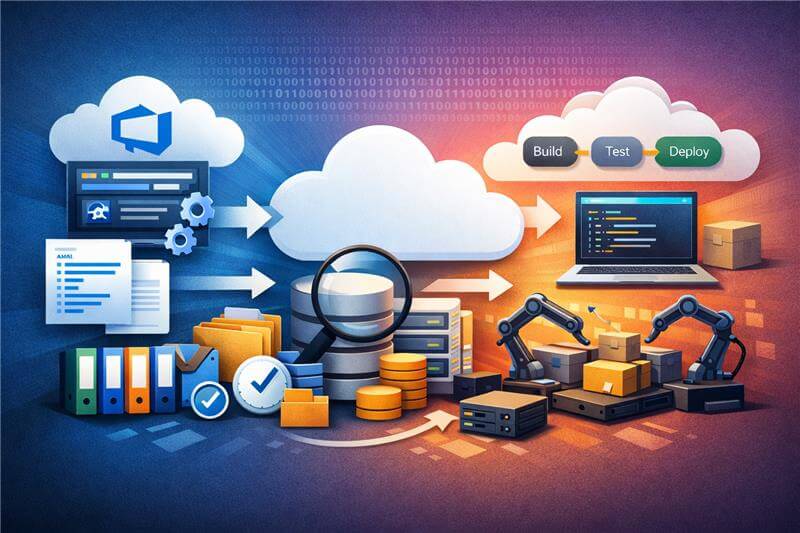
Modern software delivery rarely happens within a single tool. Engineering teams rely on a combination of development platforms, issue trackers, test management systems, security tools, and project management applications to manage the software lifecycle.
For example, development teams may use platforms like Azure DevOps or GitHub for source control and CI/CD pipelines, while issue tracking may happen in tools such as Jira. Quality engineering teams often manage testing activities in systems like TestRail or Micro Focus ALM, while project planning and collaboration may take place in platforms such as ServiceNow or Asana.
While each of these tools plays an important role in the software lifecycle, the reliance on multiple specialized systems often leads to fragmented data and limited visibility across teams.
When these systems operate in isolation, critical development data becomes fragmented. Teams spend significant time manually transferring information between systems, reconciling inconsistencies, and maintaining alignment across tools. This fragmentation slows decision-making and introduces risks that affect delivery timelines and product quality.
For engineering leaders, the challenge is not choosing a single platform; it is ensuring that data flows seamlessly across the entire development ecosystem.
Why Azure DevOps integration matters?
For organizations that rely on Azure DevOps as a central development platform, integration plays a critical role in maintaining continuity across the software lifecycle.
Integrating Azure DevOps with other engineering and enterprise systems allows organizations to establish a connected delivery environment where information moves automatically between tools. Work items, requirements, defects, and test results can remain synchronized across systems used by different teams.
- Consistent data flow across the development lifecycle.
- Information generated in one system becomes immediately available in others, ensuring teams work with the most current data.
- Reduced operational friction and rework
Developers, testers, and project managers can continue working within their preferred tools without manually copying information between systems.
When data flows seamlessly across tools, teams gain shared visibility into development progress, risks, and dependencies. Ultimately, integration helps transform Azure DevOps from an isolated development platform into part of a connected software delivery ecosystem.
Common Integration challenges
Despite the clear benefits, integrating Azure DevOps with other enterprise systems presents several practical challenges.
- Tool heterogeneity: Engineering organizations often operate dozens of specialized tools across development, testing, requirements management, and operations. Each tool has its own data structures, APIs, and workflows, making integration complex.
- Data synchronization complexity:
Maintaining consistent data across systems requires reliable synchronization. Changes in work items, defects, requirements, or releases must propagate accurately across tools without creating duplicates or conflicts.
- Workflow alignment:
Different teams may follow distinct processes and lifecycle stages. Aligning these workflows across integrated systems requires careful mapping of states, fields, and relationships.
- Traceability and governance:
In regulated industries or large enterprises, maintaining traceability across tools is essential. Integration must ensure that relationships between requirements, development tasks, tests, and releases remain intact throughout the lifecycle.
Without a structured integration strategy, organizations risk creating fragile point-to-point integrations that are difficult to maintain and scale.
- Rich text and formatting inconsistencies:
Many systems support rich text fields for descriptions, comments, and acceptance criteria. However, formatting standards often differ between systems. Content created in one platform may not render correctly in another, leading to broken formatting, lost structure, or inconsistent presentation of critical information.
- Scalability of integrations:
Without a structured integration strategy, organizations often rely on point-to-point integrations between tools. As the number of systems grows, these integrations become difficult to maintain, update, and scale across the software delivery ecosystem.
Strategic Approaches for integrating Azure DevOps with other systems
To address these challenges, organizations typically adopt structured integration approaches that allow engineering tools to exchange information reliably while preserving existing workflows.
Rather than forcing teams to migrate to a single platform, these approaches focus on connecting systems such as Azure DevOps with other tools used across the software lifecycle. The goal is to enable consistent data flow while allowing each team to continue working within the systems best suited to their role.
Several integration models are commonly used in enterprise environments.
API-Based custom integrations
Many organizations begin with direct API integrations between Azure DevOps and other systems. Using REST APIs, development teams build scripts or middleware that push and pull data between tools.
While this approach offers flexibility, it often becomes difficult to maintain as integrations grow in number. Custom integrations typically require continuous updates when APIs change;, workflows evolve, or new tools are introduced.
Middleware or Integration platform approach
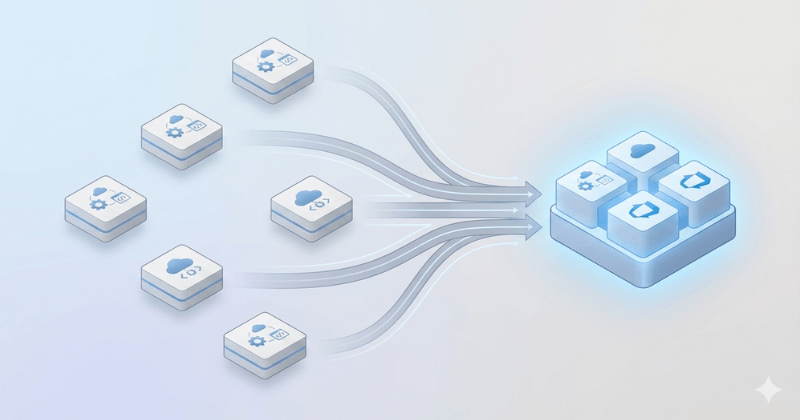
A more scalable approach is to use an integration layer or middleware platform that connects Azure DevOps with other systems. Instead of building multiple point-to-point connections, organizations create a centralized integration hub that manages data synchronization, field mappings, and workflow transformations.
This model reduces integration complexity and makes it easier to manage changes across the ecosystem. Integration platforms can also help standardize how artifacts such as work items, requirements, defects, and test cases move across tools.
Platforms such as OpsHub Integration Manager are designed to support this type of enterprise integration by enabling automated synchronization and lifecycle connectivity across multiple engineering and enterprise systems.
Event-Driven Integrations
In some environments, integrations rely on event-based mechanisms such as webhooks or messaging systems. When changes occur in Azure DevOps such as updates to work items or pipeline results, events trigger updates in connected systems.
As organizations scale their engineering environments, integration requirements become significantly more complex. Large enterprises typically operate a wide ecosystem of development, testing, security, and operational tools, all of which must exchange information reliably throughout the software lifecycle.
In such environments, an enterprise integration platform approach is often more effective than managing multiple independent integrations. A centralized integration layer helps standardize data synchronization, manage field and workflow mappings, and maintain consistency across systems.
Conclusion
By consolidating integrations into a structured platform, enterprises can reduce operational complexity, simplify maintenance, and ensure reliable data flow across the development ecosystem. This approach also supports better lifecycle visibility, governance, and scalability as new tools and processes are introduced.
Not every organization integrates Azure DevOps the same way. Integration requirements often depend on the tools already used across development, testing, IT operations, and project management.