In many organizations, Jira and Azure DevOps end up coexisting – sometimes by design, often by necessity.
Jira handles what – product backlogs, planning, and visibility. Azure DevOps handles the how – code, pipelines, and testing.
At first, using both works. Until it doesn’t.
- Work items duplicated manually
- Statuses falling out of sync
- Gaps in traceability across tools
These issues don’t just slow teams down – they create misalignment, rework, and reporting inconsistencies.
That’s why it’s critical to sync Jira with Azure DevOps. Doing so is more than a convenience; it’s a step toward unified execution without disrupting how teams already work.
With a bi-directional Jira Azure DevOps integration, teams gain end-to-end visibility across development and project management systems without losing context or traceability.
This guide explains why ADO Jira integration is necessary, what to consider before getting started, and how to carry it out with full fidelity and minimal disruption.
What Azure DevOps and Jira Integration Enables
Jira is where product managers plan features, define priorities, and share progress with stakeholders.
Azure DevOps is where developers code, test, and release those features.
Both tools serve different functions but on the same project. And when they aren’t connected, things fall through the cracks.
A well-configured Jira Azure DevOps connector helps software development teams manage everything – from planning to delivery – through real-time synchronization and cross-tool traceability.
Here’s what Azure DevOps Jira sync enables:
Shared Visibility Without Extra Work
PMs get automatic updates in Jira as developers move work forward in ADO. No chasing, no guesswork.
One Story Across Two Systems
Ensure work items are synced between Jira and Azure DevOps, providing a single story across both systems.
Updates That Flow in Real Time
No more stale statuses or missing details. When something changes, everyone sees it — instantly.
Let Teams Stick to What They Know
Developers don’t need to switch to Jira. PMs don’t need to dig through ADO. Everyone stays in their lane — and still stays aligned.
Audit-Ready Traceability
Need to trace how a requirement turned into a release? The full path is there — clean, complete, and synced.
How to Choose the Right Jira Azure DevOps Integration Architecture
Your integration’s success depends heavily on the architecture you choose. Whether you rely on a plugin, build a custom script, or invest in a purpose-built integration platform, the architecture you choose will ultimately shape the success or failure of your integration. Before you decide, consider these key factors:
1. Reliability & Failure Handling
Can the solution run consistently without constant monitoring or manual fixes? Does it support smart retries, failure queues, and bulk resolution options for failed syncs?
2. Scalability & Performance
Can it grow with your teams and handle more work items, issues, and data? Plus, will it keep your systems running fast without slowing things down?
3. Data Consistency & Reconciliation
Does it keep systems fully in sync without duplication, gaps, or data loss? In case of mismatched or missing data, can the platform detect and resolve conflicts automatically or at least give admins control to fix them easily?
4. Security & Compliance
Are credentials encrypted? Is access control in place? Does it meet your compliance standards?
Choosing the right integration isn’t just about features it’s about choosing a foundation that supports growth, collaboration, and enterprise-grade resilience.
The Integration Platform Behind This Walkthrough
To walk through this process, we’ll be using OpsHub Integration Manager (OIM) — a platform that’s quietly powered some of the most complex system integrations at enterprise scale for over two decades.
Unlike plugins or point-to-point scripts that often falter as systems grow, OIM is designed from the ground up to handle real-world complexity — across tools like Jira, Azure DevOps, and more.
It doesn’t sit inside your tools. It doesn’t require admin access. And it doesn’t slow things down.
What it does do:
- Syncs work items, comments, attachments, test data, and relationships with full fidelity
- Keeps teams working in their own tools, without disrupting workflows
- Supports compliance and traceability by design
- Handles scale – whether it’s 2 teams or 200
We’re using it here not because it’s flashy, but because it’s built for the kind of environments where broken syncs, missing context, or downtime aren’t an option.
Step-by-Step Jira ADO Integration Using OpsHub Integration Manager (OIM)
- OpsHub Integration Manager (OIM) should be installed on the machine before you proceed with the integrations.
- You should have OpsHub login credentials.
- Each system has its own set of prerequisites for successful integration. Refer to the system-specific prerequisites section from our OIM guide.
Note – Hover over the images to view the screenshots in enlarged view.
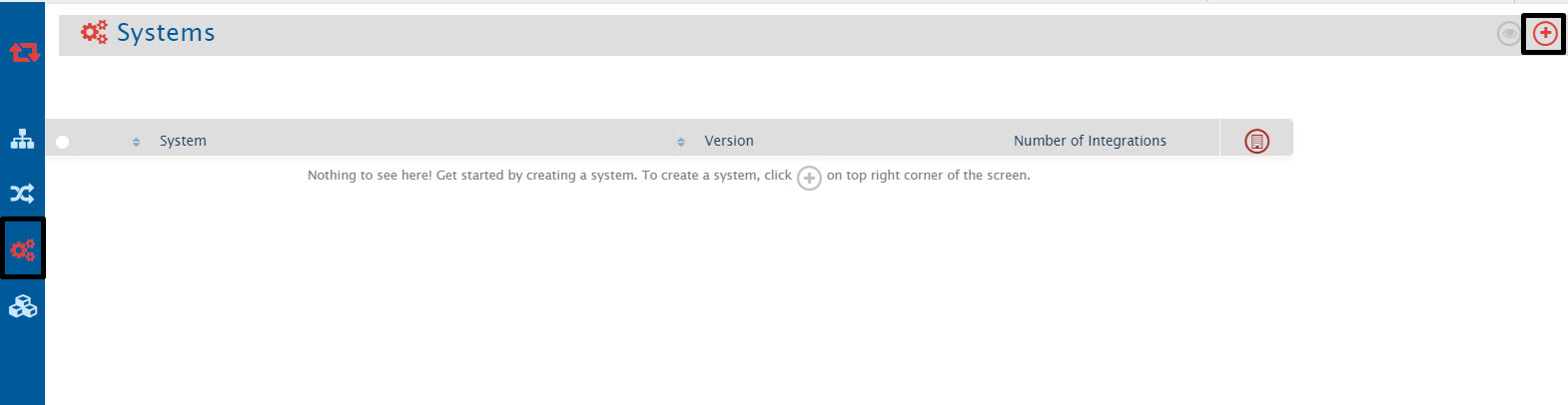
- Once you log in, navigate to Configure Systems by clicking the plus sign at the top-right corner of the screen.
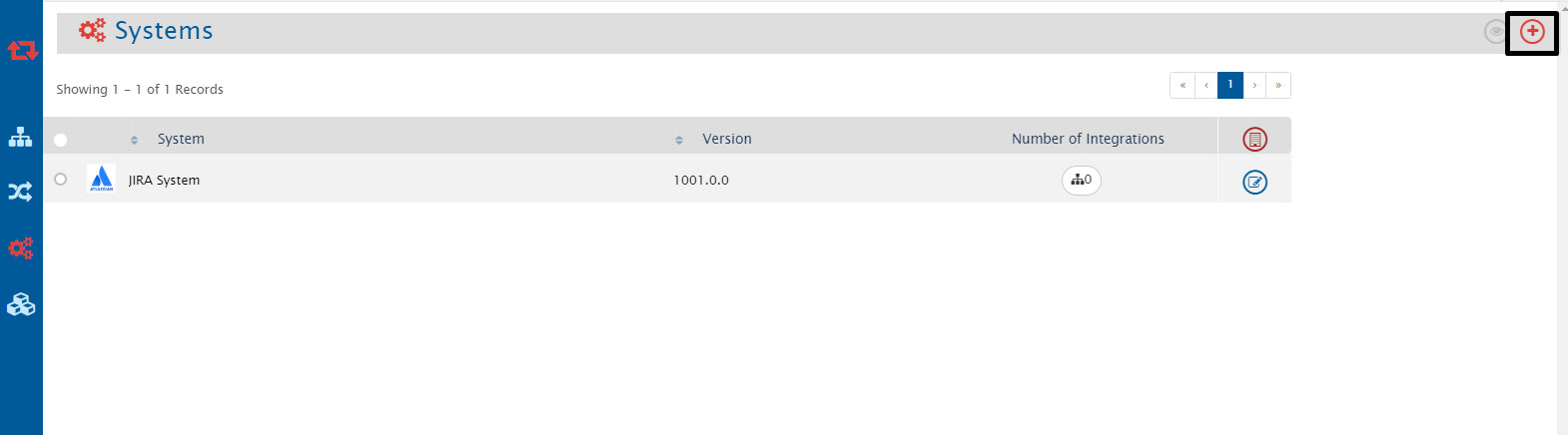
- Write Jira in the system type or select the Jira system from the system type list.
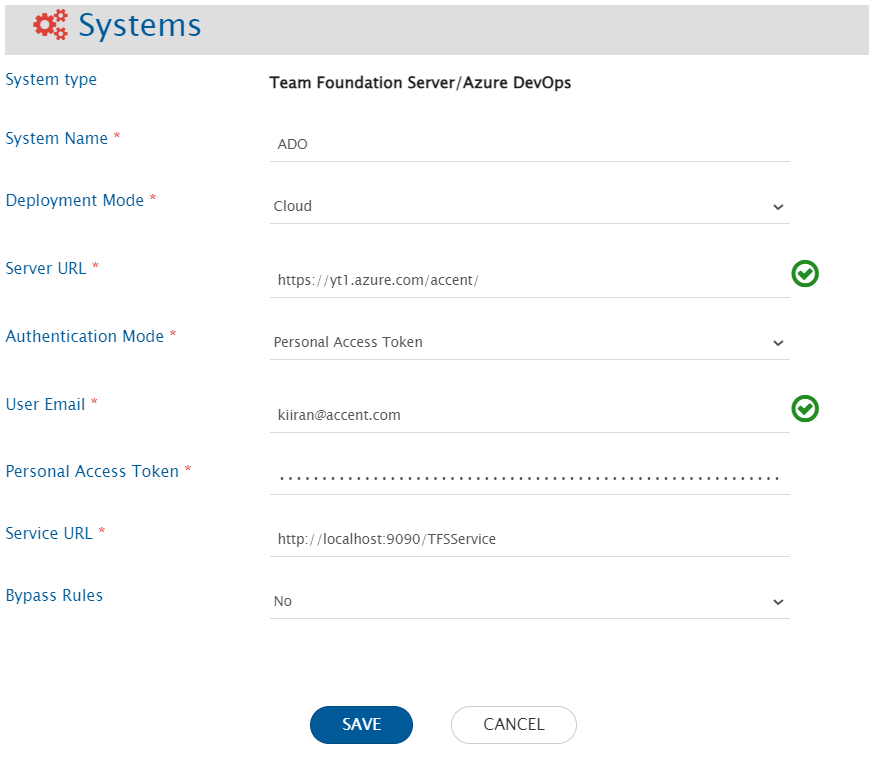
- Now, as you configure the Jira System, select the ADO system from the system type list.
- Provide the necessary configuration details for ADO system, then click to save it.
Configuring the mapping after the systems are configured
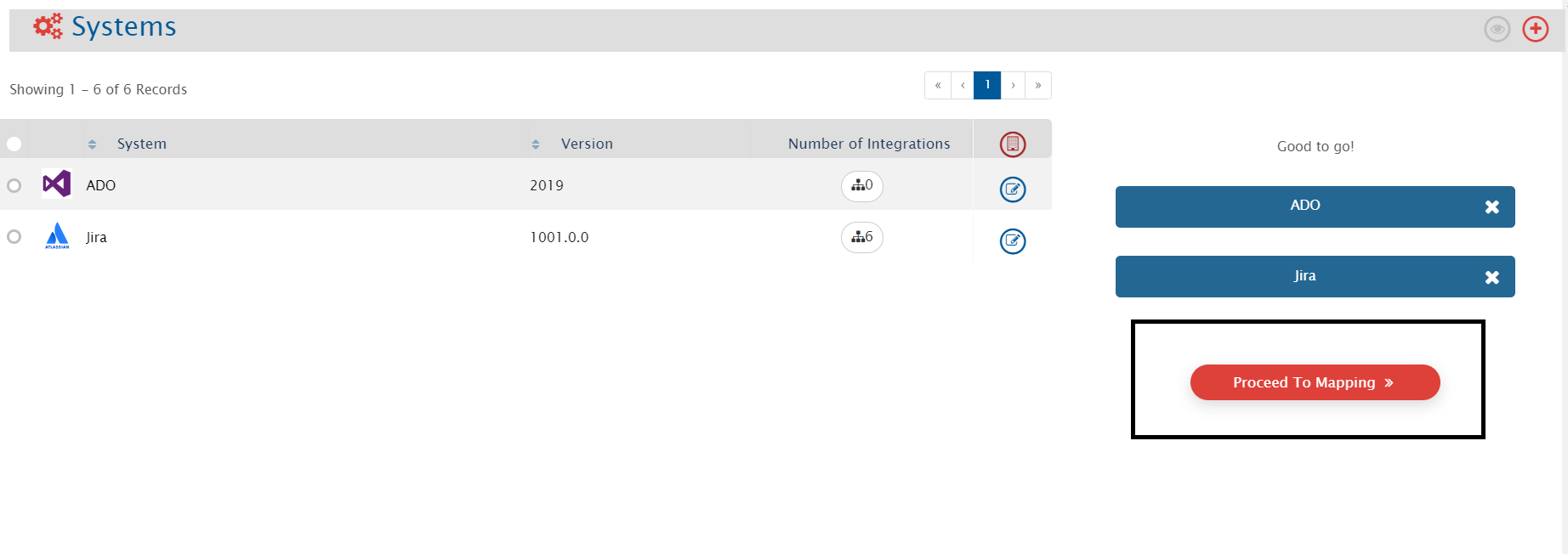
- Drag and drop the systems in the Configure System screen, to initiate the mapping. After you put the system, click ’Proceed To Mapping’.
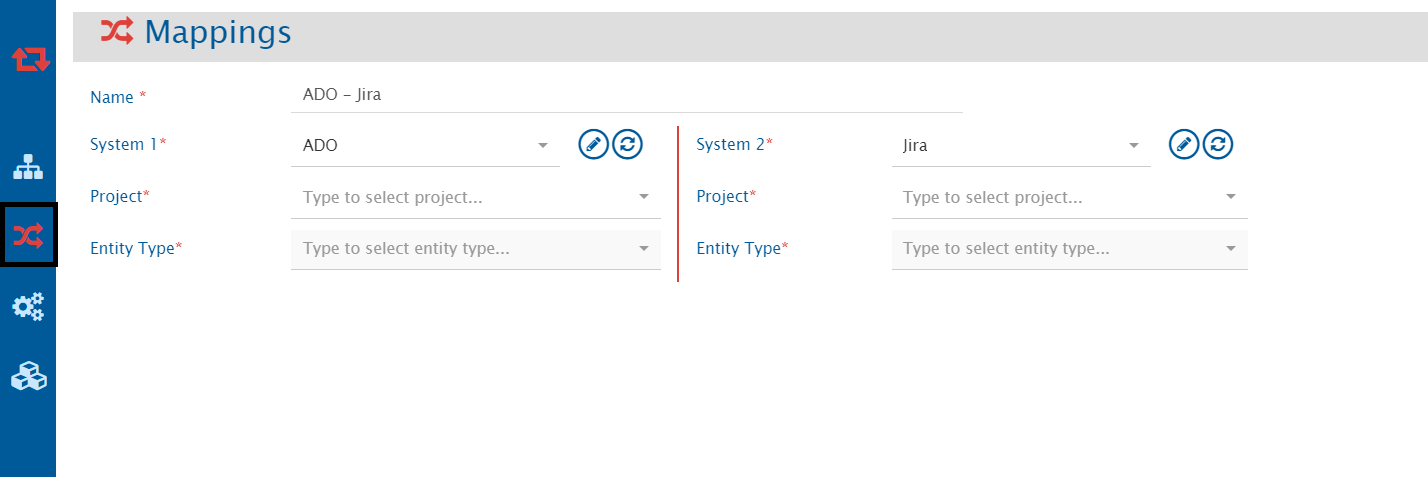
- It will redirect you to the Configure Mappings page automatically. Select your project and entity type here to proceed.
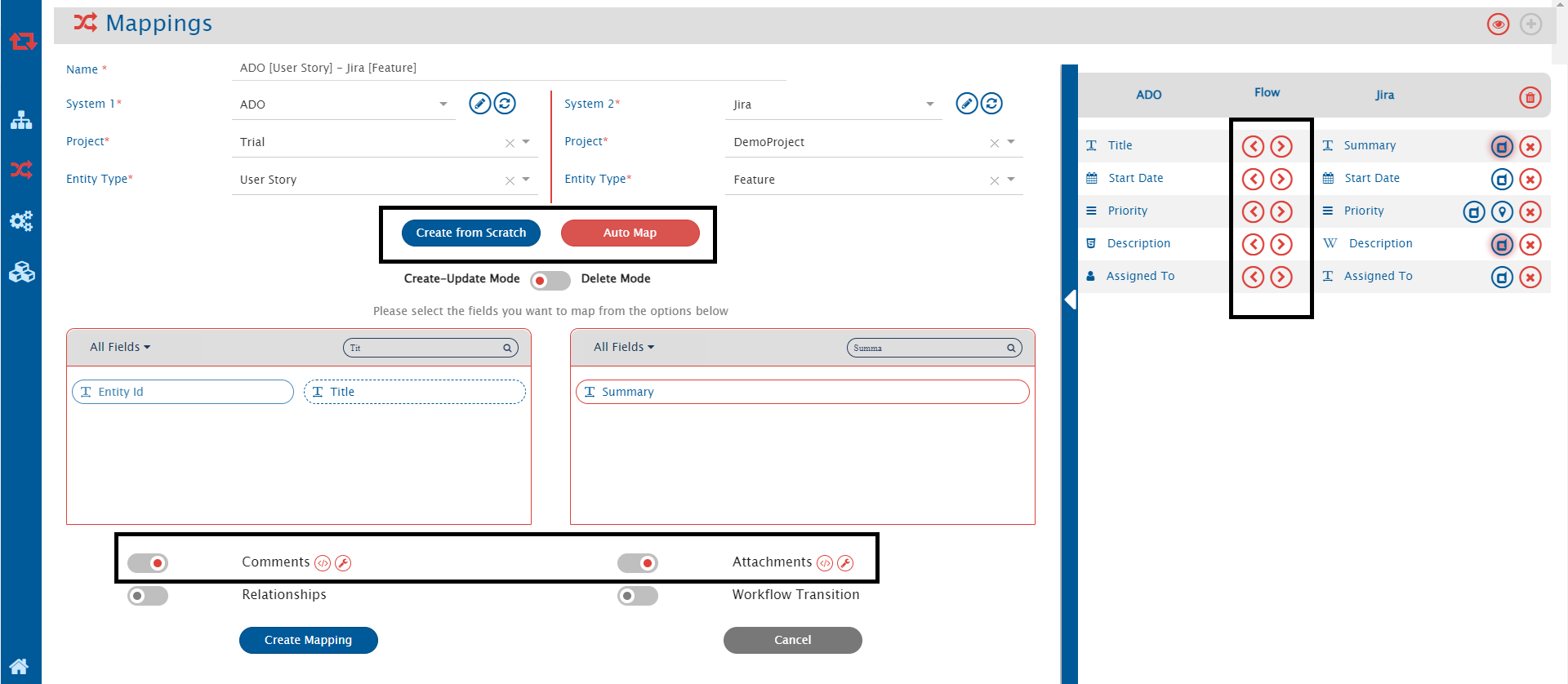
- Here, you select the fields you want to map, check if you want to sync the comments and attachments, define the flow of information between the two systems, then click Create Mapping’ to save it.
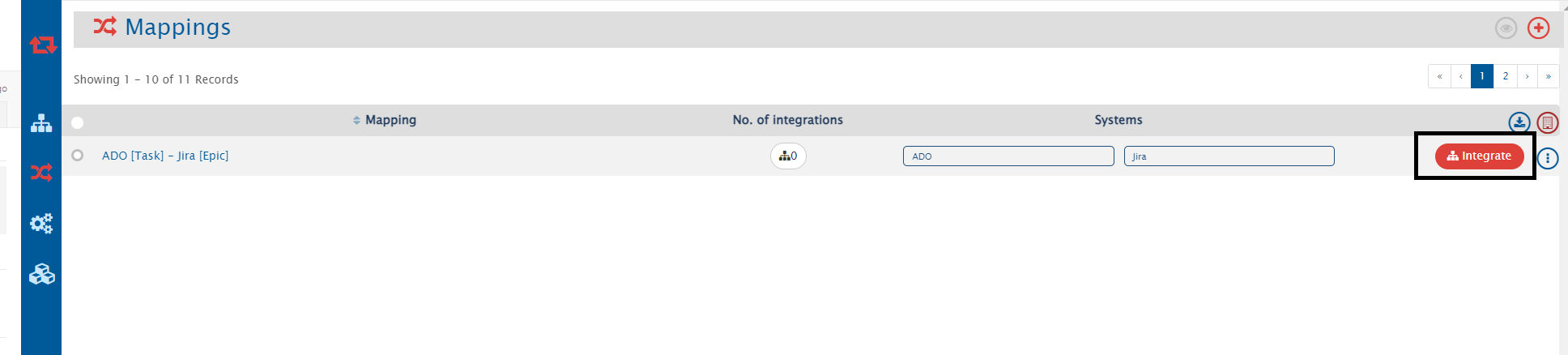
- Once your mapping created, it would look like below, click the integrate button to proceed.
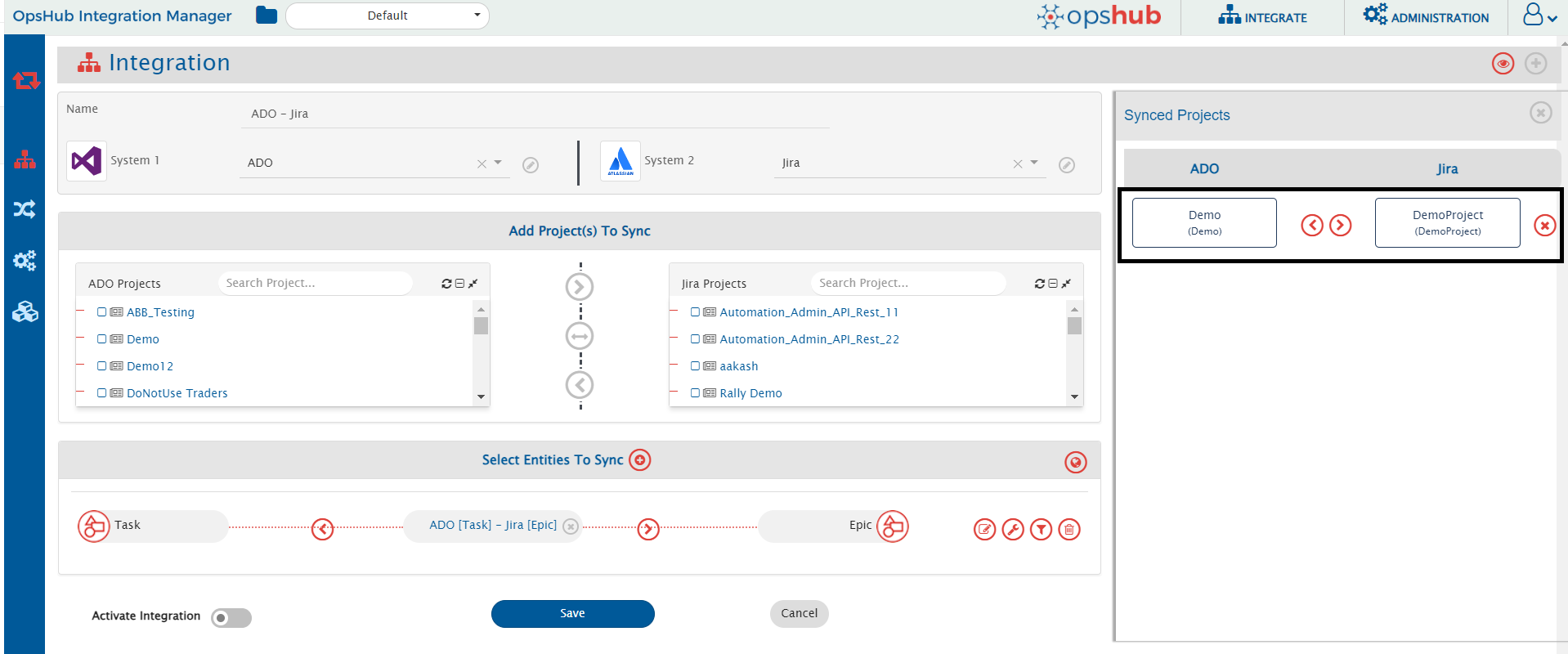
- You need to check the name and direction of the Synced Projects
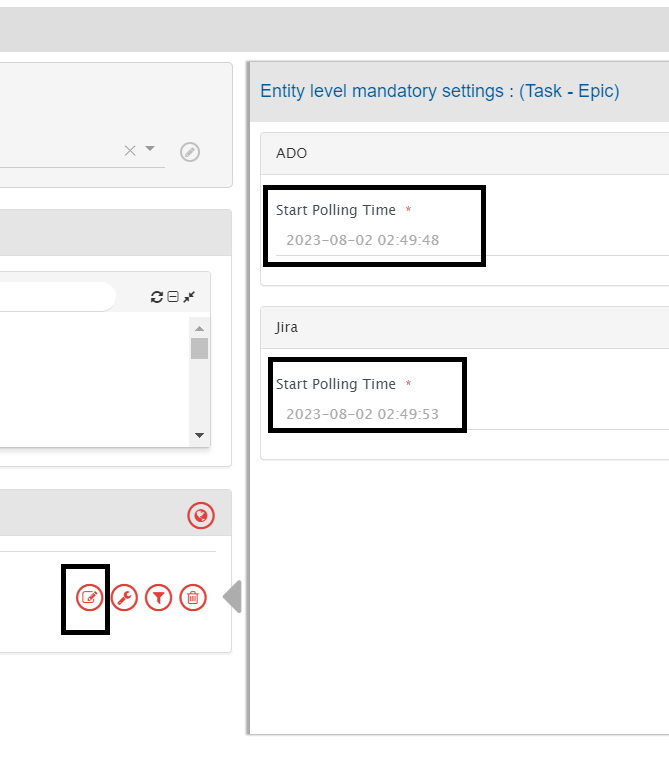
- Now, you need to set up the polling time, and it will be based on your data at ADO.
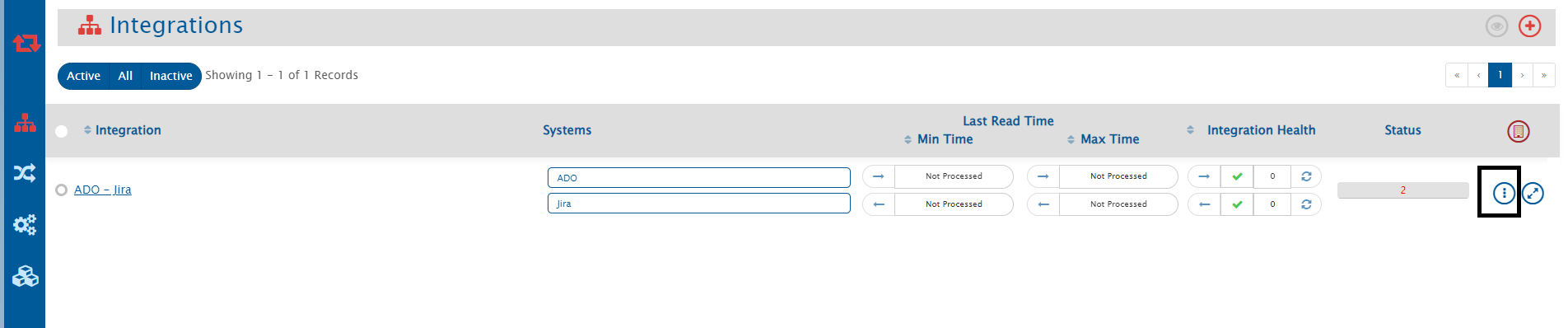
- Now you can click the ‘Save’ button to save your integration. After saving the integration, you will see something like the below screen.
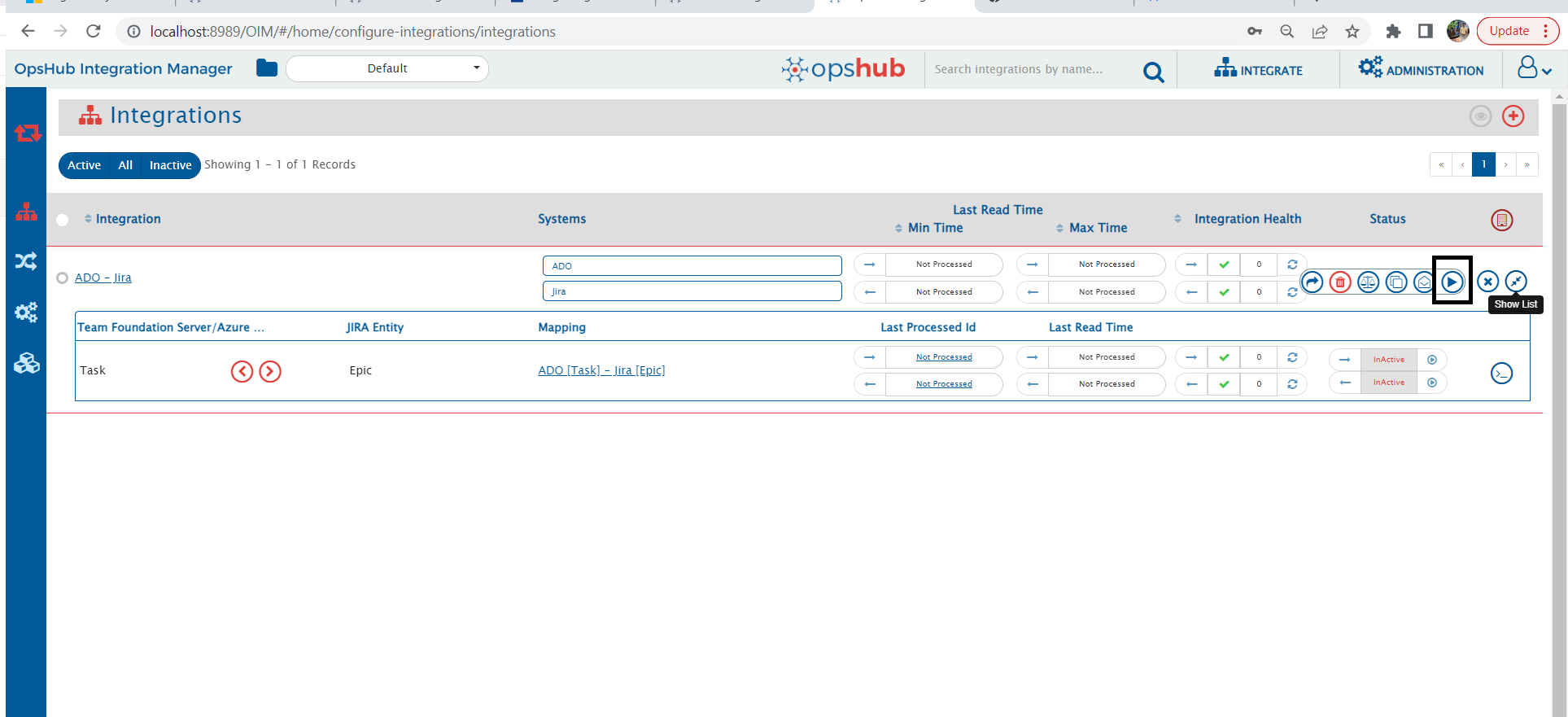
- Click the expand button to see more information about the integration/migration. If you hover over the Integration control button, you will see different buttons like below. We will mainly use the Activate Integration and Inactivate Integration buttons. You can use the InActive/Active button alternatively to change the status of your migration.
Real-World Example: How Enterprises Sync Jira and Azure DevOps for Cross-Team Visibility
In many organizations, project managers use Jira to plan and track features, while development and QA teams execute in Azure DevOps.
Without a reliable connection between the two, teams often rely on manual updates — leading to delays, miscommunication, and status mismatches.
Here’s how a seamless Azure DevOps Jira integration solves that:
- A feature is created in Jira by the project manager, and it syncs automatically to Azure DevOps.
- The development team breaks it down into user stories in ADO and starts implementation.
- As user stories are completed, status updates flow back to Jira, giving visibility to the PM.
- If QA reports bugs, bugs logged in ADO are mirrored in Jira, keeping both teams aligned.
- Once resolved, bug status updates sync to Jira, and the project manager can close the feature.
- The closure status is then synchronized back to Azure DevOps, completing the feedback loop.
By using a purpose-built solution to sync Azure DevOps and Jira, enterprises eliminate manual errors, improve collaboration, and ensure real-time visibility across tools — without changing how teams work.
Conclusion
To sum up, both Jira and Azure DevOps come with the promise of a powerful, collaboration-first integration. Moreover, if you’re spearheading innovation teams that strive to deliver high quality releases and reduce your time-to-market, an integration like this only brings you one step closer to achieve that goal.