Introduction
At first, it made sense to keep everything in one Azure DevOps organization. One place for teams, boards, pipelines, and governance. Simple. Centralized.
But over time, things shift.
Teams grow. Projects multiply.
Pipelines get slower. Boards feel heavier.
A small change in one project unexpectedly breaks another.
It’s harder to tell who owns what—or how any of it fits together.
Then a reorg happens. Or a new business unit gets added.
And suddenly, that central DevOps setup feels less like a shared platform… and more like a constraint.
You start asking the hard questions:
- Should we split?
- What would we lose?
- Will it slow teams down?
This guide is here for that moment.
It will help you weigh the signs like hitting Azure DevOps organization limits, slowing pipelines, or governance overhead and help you split cleanly.
Whether it’s a full migration or creating multiple organizations to support growth, the goal is the same: make the move without downtime, data loss, or broken trust.
Why Do Organizations Split Azure DevOps Instances?
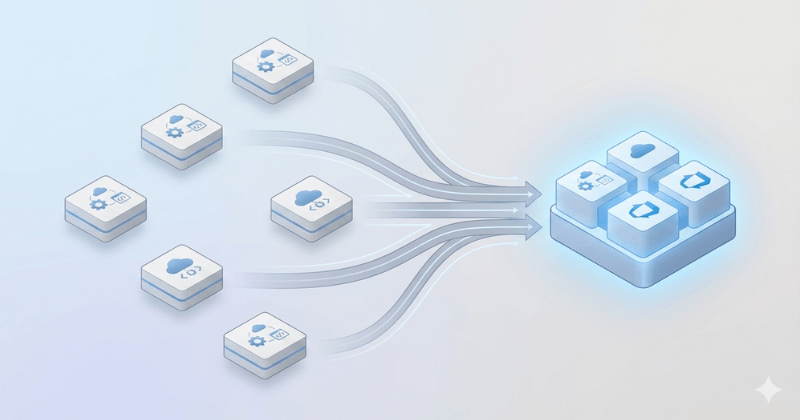
Splitting isn’t just about decluttering—it’s a response to real business triggers: restructuring, delivery risks, admin overhead, and scale limits. Here’s when splitting an ADO org becomes the responsible move:
1. When Admin Chaos Becomes Unmanageable
As more teams join the same org, managing permissions, users, and group policies becomes a full-time job. One misconfigured setting can expose sensitive data—or lock entire teams out. Scaling operations across a single ADO org leads to brittle setups and rising security risks.
2. When CI/CD Pipelines Start Colliding
Centralized DevOps often means multiple teams relying on overlapping pipelines and shared agents. One team’s change breaks another’s build. Queues grow, release schedules clash, and autonomy disappears. A split helps isolate pipelines and reduce dependency sprawl.
3. When Process Templates Spiral Out of Control
Different teams customize work item types, workflows, and states—but Azure DevOps only allows one process template per project. The result? Template bloat, conflicts, and inconsistent tracking. Splitting lets teams adopt workflows that actually reflect how they work.
4. When Business Restructuring Requires Separation
M&A, spin-offs, or internal reorgs demand clean separation of projects, data, and permissions. Keeping everything in one org leads to access issues, reporting overlap, and audit confusion. A split allows each business unit to operate with autonomy and clarity.
5. When You Hit Scale and Data Limits
Big orgs face performance bottlenecks: boards take longer to load, queries time out, and reports get harder to trust. Azure DevOps has real limits on how much one org can handle before it slows down. When those cracks start to show, planning a structured migration helps teams stay productive without the drag.
Why Splitting Azure DevOps Orgs Is a Special Kind of Challenge
Splitting a large Azure DevOps org isn’t just about data movement—it’s about managing live systems under load, without breaking what’s still in use.
Here’s what makes it uniquely difficult:
1. Every Dependency Matters When You Split an ADO Org
In Azure DevOps, nothing exists in isolation. Pipelines rely on repos, test plans link to work items, and boards pull from shared configurations. If you miss a dependency, things break. A clean split means understanding what connects—and moving it together, not in pieces.
2. The Entire Org Feels the Load—even if Only One Team is Migrating
Splitting triggers a flood of read, export, and validation of data. These operations impact org-wide performance. Even teams not being migrated experience slower boards, delayed builds, and timeout issues—because the system isn’t designed to handle this level of background activity.
3. You Have to Keep Work Going Mid-Migration
This isn’t a clean cutover. Teams keep working while the split is happening. That means you’re dealing with delta changes, in-flight updates, and the risk of data drift. And all of it needs to stay perfectly in sync—or you create confusion and rework post-migration.
4. High-Volume Exports Strain Azure DevOps Itself
Azure DevOps isn’t optimized for massive data extraction at scale. Bulk exports of thousands of work items, test runs, attachments, and pipelines can easily exceed API limits, time out, or create corrupted output—especially if attempted with generic tooling or manual scripts.
5. The Risk Isn’t Just Technical—It’s Operational
A poorly executed split can delay releases, disrupt workflows, and break compliance. The impact isn’t isolated to tooling—it’s visible in delivery metrics, audits, and day-to-day execution. That’s why so many orgs delay splitting, even when they know they need to.
When to Consider Multiple Azure DevOps Organizations
Not every team can or should stay in one Azure DevOps org forever. Some enterprises split into multiple organizations for very practical reasons:
- Scale: One org can’t handle thousands of projects and users without slowdown.
- Autonomy: Business units want their own permissions, pipelines, and governance.
- Compliance: Regulated industries often separate orgs to meet audit or residency rules.
- M&A: Acquisitions or spin-offs demand a clean cut between business lines.
- Geography: Regional orgs help address data residency or legal constraints.
Microsoft supports multi-org setups, but the tricky part is keeping teams productive during the transition.
That’s where a planned migration becomes essential.
How OpsHub Enables Safe, Seamless Azure DevOps Splits—Even in Live Environments
Azure DevOps migration isn’t just about moving data. It’s about maintaining operational continuity while reorganizing a live, high-stakes environment.
The real challenge is how to split an Azure DevOps organization while teams keep working without downtime, broken links, or data loss.
OpsHub Migrator for Azure DevOps (OM4ADO) and Live++ are built specifically to handle these exact conditions—with no downtime, no data loss, and zero disruption.
Here’s how the process actually works:
1. Precise Identification of What Moves — Nothing More, Nothing Missed
Splitting gets tricky when dependencies are buried across teams, boards, pipelines, and repos.
OM4ADO enables precise selection of:
- Specific work items, projects, iterations
- Test artifacts (plans, suites, runs)
- Pipelines, dashboards, queries, permissions
The tool allows project-level and entity-level scoping—ensuring you only migrate what’s needed, without leaving behind critical links or history.
2. Full-Fidelity Migration — Including the Details Most Tools Miss
A work item without comments, tags, mentions, and history isn’t useful—it’s broken. OM4ADO ensures:
- User mentions, formatted fields, attachments, and discussion history are preserved
- Hierarchies, relationships, and test coverage links come through intact
- Even shared test steps, templates, and pipeline variables maintain their structure
Transformations can be applied during migration—for example, mapping old users or custom fields into new configurations—without breaking continuity.
3. No Downtime — Teams Continue Working During the Migration
This is where live migration changes the game. Instead of freezing work during migration, it allows users to continue working in the source Azure DevOps environment—while OM4ADO runs the migration in parallel.
This solves one of the biggest blockers to splitting: business continuity.
With Live migration:
- Users don’t have to pause or hold updates
- New work items, changes, and updates in the source continue as usual
- The migration continues quietly, without interrupting day-to-day operations
4. Continuous Backward Sync — Keep Old and New Orgs in Perfect Sync
Live++ doesn’t just capture delta changes—it enables bi-directional synchronization during the migration window. That means:
- Updates made in the new org are synced back to the old
- Both environments stay aligned while different teams transition at their own pace
- You can run long, phased migrations without confusion or rework
This also gives time for validation: users can compare behavior in both environments before committing fully.
5. No Org-Wide Performance Hit — Even at Scale
One of the silent killers during Azure DevOps migrations? Performance degradation.
High-volume API usage from exports often slows down entire orgs—even those not involved in the split. OM4ADO and Live++ are built to avoid this.
- Throttling-aware migration jobs ensure the system is never overloaded
- Incremental exports and smart queuing prevent performance spikes
- Teams not involved in the migration remain unaffected—no slow boards, no failed builds
This isn’t just a tool that moves data—it’s a platform built to manage change without disrupting the business.
Success Story: Splitting an Azure DevOps Org Without Downtime
A large tech company had everything-dozens of teams, hundreds of projects, and years of history-running in one massive Azure DevOps organization.
Then came a major business change: one of their divisions was being spun off into a separate company. That meant one thing—they had to split the ADO org.
And fast.
Here’s what made it tricky:
- Both companies were using the same boards, pipelines, and shared resources
- Over 100 projects had to be migrated
- Thousands of users were still actively working—no room for downtime
- The spin-off needed a clean cut, but with every bit of work item history and traceability intact
They used OpsHub Migrator for Microsoft Azure DevOps (OM4ADO) with Live++ to manage the split.
Instead of freezing work, they ran the migration in the background. Teams continued using the old system while the new one was being set up. Any updates made during the transition? Automatically synced.
There were no disruptions, no lost data, and no late-night fire drills.
The outcome?
- 100+ projects cleanly migrated
- 2,500+ users moved with full history
- No duplicate work, no downtime, no broken links
The spin-off launched with a fully functional Azure DevOps environment on day one, while the parent company kept moving completely unaffected.
It was proof that even complex organizations can split without chaos or downtime.
Splitting Your ADO Org? It Doesn’t Have to Be a War Room Situation.
Splitting your Azure DevOps org isn’t just a technical project—it’s a decision with delivery, compliance, and continuity on the line. You don’t need to rush it. But you also can’t afford to wing it.
We’ll walk you through what a clean split actually takes—backed by real examples, no guesswork, and no disruption.