The Coming Divide in Defense: Federation or Fallout Under DoDI 5000.97
Share: The defense industry is entering a pivotal phase of transformation. With the release of DoDI 5000.97, the U.S. Department of Defense (DoD) has made


No-code integration platform for rich bi-directional sync

Zero downtime migration to tool of your choice

Keep Historical Data, Without Slowing Down Your Tools

Migrate or restructure Azure DevOps

Real-time, context-rich data lake for AI or analytics
By Role
Accelerate delivery with clear insights

Accelerate delivery with clear insights

Transform smarter with a connected digital thread

Confident transitions for every enterprise change
By Initiative

Operational readiness through connected engineering

Modernize and move to cloud without disruption

Build a compliant digital thread for complex environments

Build the foundation for smarter AI
By Domain

No-code integration across teams and systems

Enable collaboration between IT, support, and business teams

Connect PLM & engineering teams for smarter products

Ensure regulatory compliance from start to release

Explore the latest in technology best practices

Success stories from the field

Actionable insights for your business challenges.

See solutions in action

Learn, plan, and execute with confidence

Official announcements and updates

Join discussions that drive results

Stay ahead with curated insights
Share: The defense industry is entering a pivotal phase of transformation. With the release of DoDI 5000.97, the U.S. Department of Defense (DoD) has made
Bi-directional real-time sync with OpsHub Integration Manager
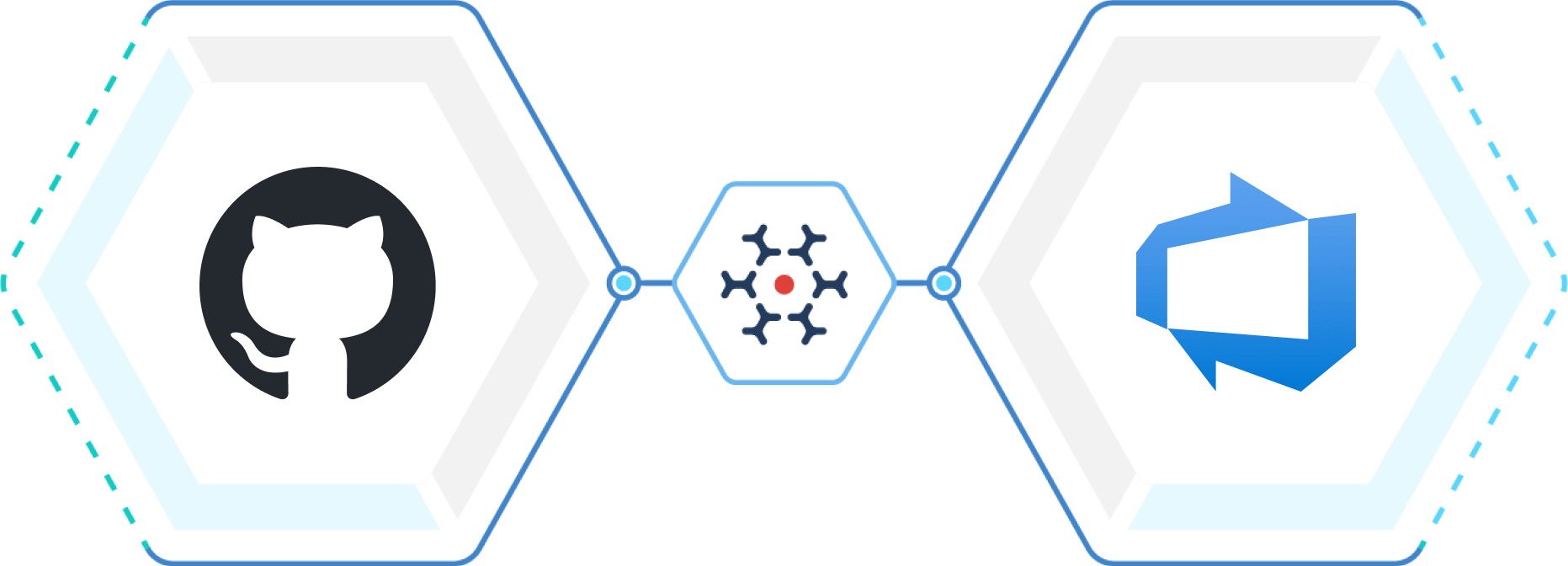
Sync GitHub and Azure DevOps so commit activity and work tracking stay in sync automatically. As developers work on issues, make commits and manage pull requests in GitHub, Azure DevOps work items reflect that in near real time, keeping planning, execution, and delivery aligned without manual coordination.

Sign Up for a Free Trial!
Teams often manage issues in GitHub while relying on Azure DevOps for planning and delivery. When these systems work in silos, updates fall out of sync, visibility drops, and teams spend time piecing together the information across tools.
OpsHub Integration Manager (OIM) delivers seamless, scalable synchronization between GitHub and Azure DevOps without custom scripts or plugins. Developers work uninterrupted, product managers remain informed with accurate issue status, commit information, and stakeholders gain end-to-end traceability from planning to release.
Trusted by the world’s leading enterprises


Integration that aligns with how teams already work
OpsHub works with existing workflows. Developers stay in GitHub while planning and tracking continues in Azure DevOps. Teams don’t need to change processes or adopt a new tool. Everything stays in sync.
Enterprise-grade reliability and integrity at scale
Designed for large, globally distributed teams. Maintains reliable synchronization across thousands of work items and repositories with no performance degradation.
Rich data synchronization with full context
Syncs custom fields, statuses, labels, links, attachments and in-line content with full accuracy, preserving context and history across GitHub and Azure DevOps.
OpsHub Integration Manager (OIM) connects GitHub and Azure DevOps through secure APIs. The integration runs outside both systems to keep work items, issues and commits seamlessly connected. Issue updates and commit details (who made the commit, when and what change) are synchronized back to Azure DevOps, allowing teams to track progress and understand related development activity directly from work items. As delivery structures evolve, teams can move or reorganize work across Azure DevOps projects, boards, or GitHub repositories without breaking links or losing history.
Built on a resilient architecture, OIM keeps GitHub reliably synchronized with Azure DevOps, even during failures or downtime. It secures sensitive information with end–to-end data encryption and user-based access controls, on-premise and on cloud.
The outcome: GitHub development and Azure DevOps delivery tracking remain continuously connected, accurate, and traceable, supporting confident planning, execution, and change without manual intervention.
Steps to integrate GitHub and Azure DevOps
Step
Set up connection to GitHub and Azure DevOps.
Step
Select projects and entities to be synchronized.
Step
Define the sync direction and map fields across both systems.
Step
Activate the sync and monitor real-time performance via OIM’s dashboard.
Problem Statement
Goal:
Give teams clear visibility into GitHub commit activity linked to Azure DevOps work items, keeping development aligned with planned backlog items.
Business value offered numbers
Better Resource
Utilization
Increase in Customer Satisfaction
0%Growth in SLA Turnaround Time
0%