















Integrate Rally Software with ServiceNow
Bi-directional sync using OpsHub Integration Manager
The integration of Rally Software with ServiceNow gives real-time visibility to the development and customer support teams visibility into each other’s work. With this kind of visibility, the coordination between the teams becomes easier and customer issues are resolved faster.
Schedule a free 30-minute live demo with our integration experts

Rally Software – ServiceNow Integration Overview
In an Application Lifecycle Management (ALM) ecosystem, the choice of systems and the collaboration between the cross-functional teams play a great role in delivering quality solutions. While the choice of systems impacts the productivity of a team, cross-functional collaboration enhances seamless communication between teams to take better decisions, faster.
By integrating Rally Software with ServiceNow, enterprises can diminish collaboration barriers between development and customer service teams that otherwise lead to quality issues, delivery delays, and financial loss.
How Rally Software – ServiceNow integration is beneficial for an enterprise
- Real-time access to customer issues and priorities
- Communication on the workitems from the native systems itself
- Real-time updates when a customer issue is resolved
With Rally Software + ServiceNow integration, enterprises can:
- Make better and faster decisions
- Accelerate customer response time
- Ensure complete traceability of a feature/requirement
- Get full context of customer issues and priorities
- Leverage the best of functionality and collaboration in the delivery ecosystem.
How OpsHub Integration Manager integrates Rally Software and ServiceNow
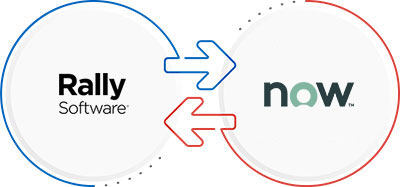
OpsHub Integration Manager integrates Rally Software and ServiceNow bi-directionally. It ensures that all historical and current data is available to each user, in that user’s preferred system, with full context, in real-time. All ‘tickets’ from ServiceNow automatically synchronize to Rally Software and all the entities and details associated with the ‘tickets’ synchronize back to Rally Software.
Steps to Integrate Rally Software and ServiceNow
- Step 1: Configure Rally Software and ServiceNow systems.
- Step 2: Configure the mapping.
- Step 2.1: Select the project and the Entities for mapping.
- Step 2.2: Map the fields of the selected entities.
- Step 3: Configure the integration.
- Step 4: Activate the integration.
Popularly synchronized entities

Use Case: Rally Software integration with ServiceNow
Problem statement: Service & support team raises an issue highlighted by the client to the backend team via email. Someone in the backend team resolves the issue but forgets to inform the service & support team that the highlighted issue has been resolved. As the client doesn’t get an update about the highlighted issue in the time agreed on the SLA, the client escalates this problem.
Solution: The issue got escalated because the service & support team and the backend operations team failed to exchange the requisite information in time and pass it on to the client. This is a classic case of communication gap in a heterogenous ecosystem, which can be resolved by introducing an effective integration solution.
- A customer faces an issue in resetting the password of a user and logs an ‘Incident’ ticket in ServiceNow.
- A support representative analyzes the issue and concludes that there is a defect in the product.
- OpsHub Integration Manager identifies the ‘Incident’ logged in ServiceNow and propagates it as ‘Defect’ in Rally Software.
- The backend team examines the defect, resolves it, and updates its status as ‘Fixed’.
- OpsHub Integration Manager communicates the change in the status of the ‘Defect’ to ServiceNow. The status of the ‘Incident’ in ServiceNow changes accordingly.
Benefits of integration for Rally Software and ServiceNow users
Rally Software users
- Traceability for requirements/features throughout the ALM tool chain
- Visibility into customer issues and priorities
- No dependency on manual communication for making decisions
ServiceNow users
- Access to the business requirements and associated updates from within ServiceNow
- Easy to categorize and transfer customer tickets to Rally Software
- No manual efforts needed to keep backend teams updated on customer issues and priorities
Frequently Asked Questions
To integrate Rally and ServiceNow using OpsHub Integration Manager, you can follow these steps:
- In OIM, select Rally and ServiceNow as the applications to be integrated.
- Map the fields between Rally and ServiceNow. This step involves mapping the fields that will be synced between the two applications.
- Specify the type of integration you want to set up. For example, you may want to create a one-way integration that sends data from Rally and ServiceNow, or a two-way integration that syncs data between the two applications.
- Set up the integration schedule. You can configure OpsHub Integration Manager to automatically sync data between Rally and ServiceNow at specific intervals. For example, you can sync data every hour, or even every minute.
- Test the integration. Before deploying the integration, you should test it to ensure that it is working correctly.
- Deploy the integration. Once you have tested the integration and are satisfied that it is working correctly, you can deploy it to your production environment
Please click here to check the system-specific prerequisites from the OIM guide.
Yes, you can check the free version of OIM, known as the Community Edition. To get complete information on OIM Community Edition, click here to download the datasheet.
Get started with your Rally Software – ServiceNow Integration today