TL;DR
A Jira Data Center to Cloud migration puts issue history, attachments, links, workflows and user identities at risk when data is moved without validation. Jira Cloud Migration Assistant (JCMA) handles the core migration, but it needs downtime, and updates made in that window can be lost. OpsHub Migration Manager (OMM) adds parallel operation, reverse sync, data transformation and reconciliation to protect data integrity.
What is a Jira Data Center to Cloud migration?
A Jira Data Center to Cloud migration moves your projects and configuration from a self-hosted Jira Data Center instance to an Atlassian-hosted Jira Cloud site. Teams usually move to reduce infrastructure upkeep and to reach features that are available only in Jira Cloud.
A full migration has to carry more than issues. The data that must arrive intact includes:
- Projects, issues, subtasks and full issue history
- Comments, attachments, issue links and timestamps
- Users and groups, plus their roles and permissions
- Workflows, custom fields, screens and schemes
- App and add-on data, where a Cloud version supports it
How to maintain data integrity during Jira migrations?
To maintain data integrity during Jira Cloud migrations, validate the source before you move, preserve every record with its context, and reconcile the target against the source after the move. The practices below apply to any Jira migration.
- Run a pre-migration integrity check on the Data Center source and fix errors before you start. Clean up stale projects, fields and users so less can go wrong.
- Map user identities from Data Center usernames to Cloud Atlassian Account IDs so history, comments and assignments stay with the right people.
- Run a test migration to a sandbox Cloud site first. Check history, attachments, links, workflows and permissions before the live run.
- Preserve full context. Issue history, comments, attachments, links, timestamps and audit trails should move together, not as stripped records.
- Transform fields, workflows and schemes into a Cloud-ready structure before cutover, so data maps to the right place instead of being dropped.
- Reconcile source and target. Compare record counts and relationships, report mismatches, and retry failed records rather than assuming success.
- Keep the Data Center source read-accessible as a fallback until validation is complete, so nothing is lost if a check fails.
How do JCMA and OpsHub Migration Manager work together?
JCMA runs the core, structured migration, and OpsHub Migration Manager (OMM) adds the controls that keep data accurate across a phased move. OMM extends JCMA; it does not replace it.
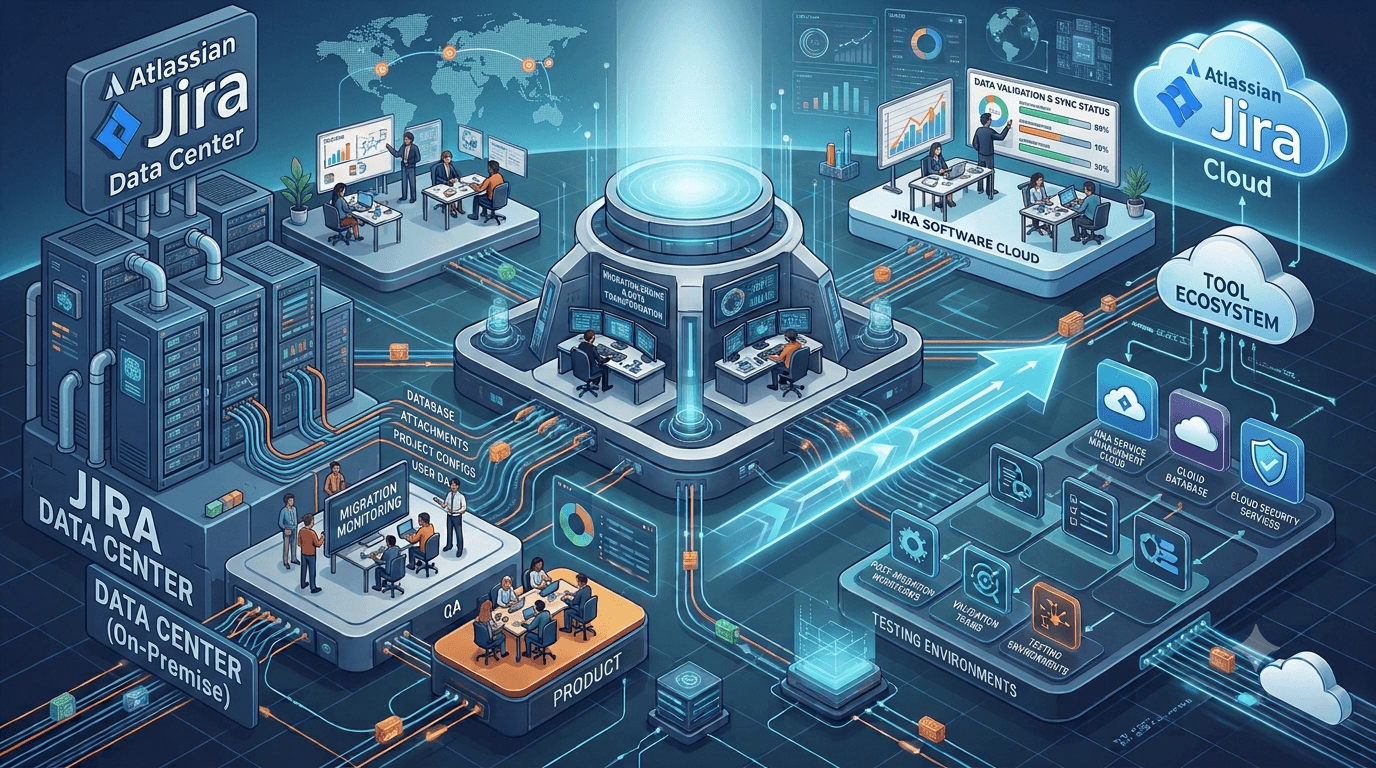
JCMA moves projects, issues, workflows, custom fields, schemas and metadata. OpsHub Migration Manager (OMM) adds parallel operation, reverse sync, delta sync, data transformation, consolidation and reconciliation so Jira Data Center and Jira Cloud can run side by side until you choose to cut over.
What does a safe phased Jira migration look like?
A safe Jira migration moves in phases rather than a single freeze. JCMA handles the first structured pass of projects, workflows, fields and schemas. OMM then syncs ongoing changes and manages what needs adaptation, such as field mismatches or data-level transformation.
Because Jira Data Center stays live and reverse sync keeps both systems aligned, teams can keep working while projects move in the background. You validate each phase, confirm the records match, and control when cutover happens. OpsHub has worked in migration and integration for over two decades and supports 70+ tools, so add-on and cross-tool data can move with its context.
Frequently asked questions